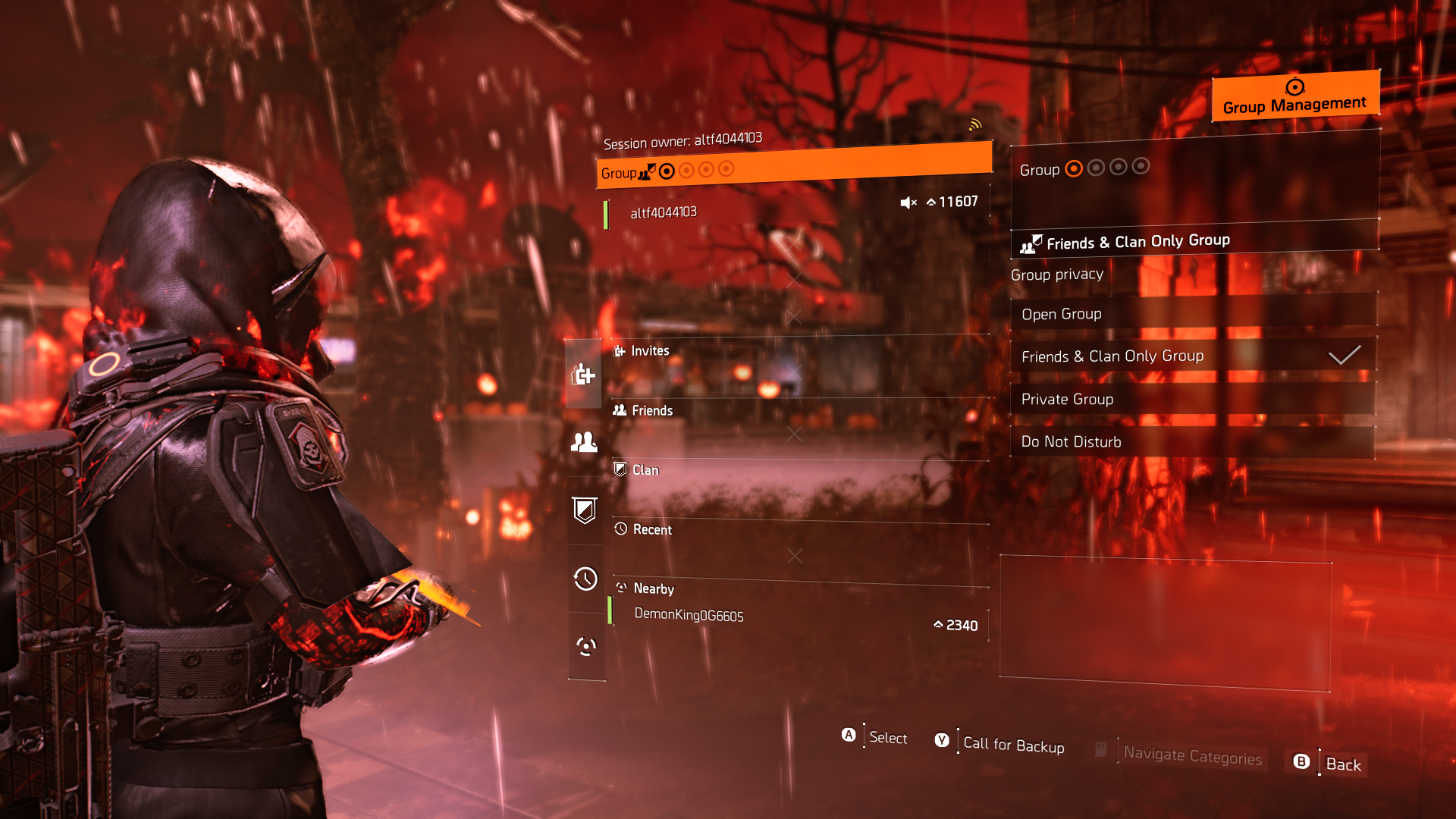
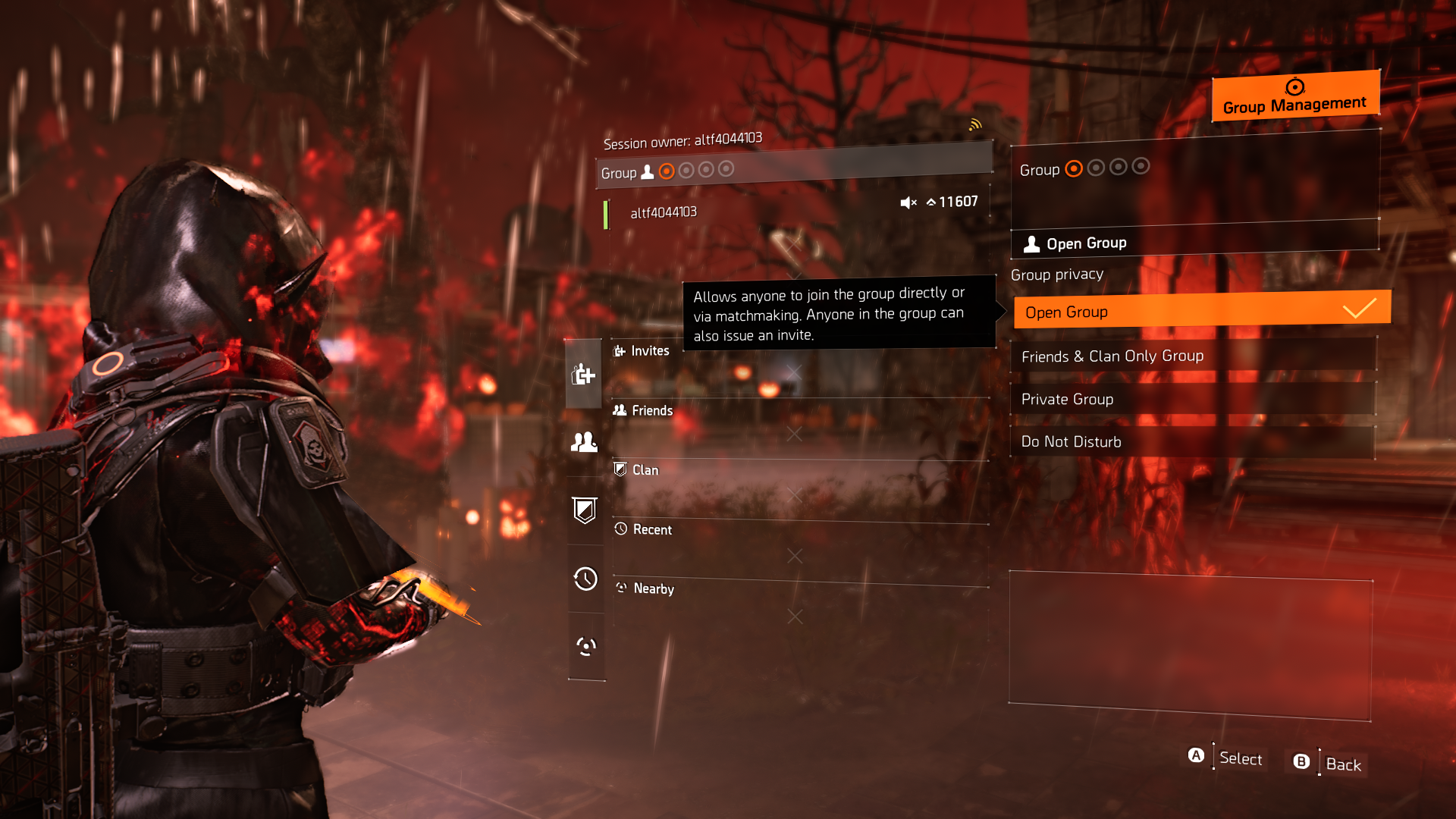
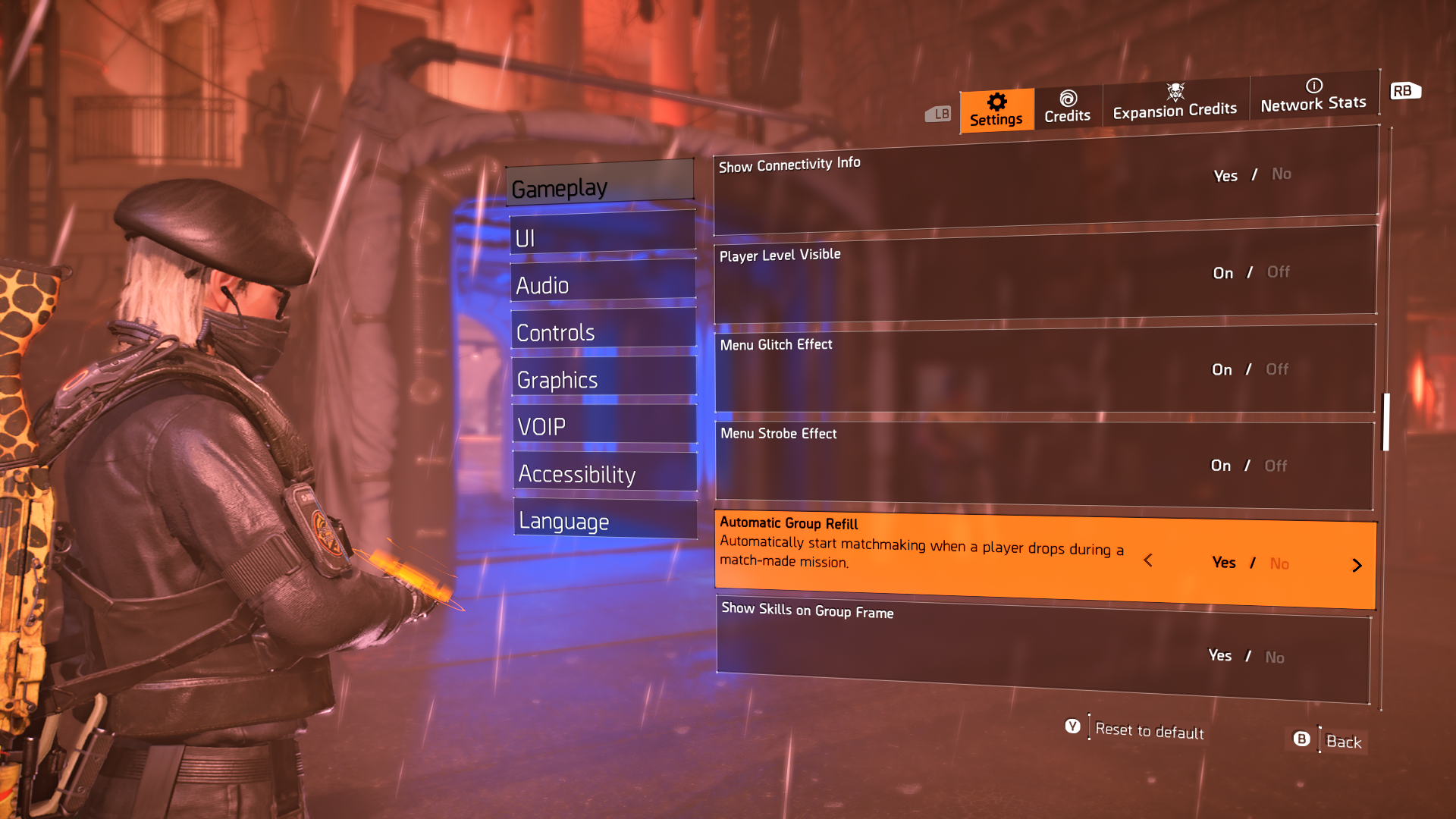
Sometimes you want a game session at a particular difficulty, activity, or with directives active. This is how you make your own and have people automatically join.
For new players this setting to enable open group can be elusive, this will allow you to start activities and have people join your own game session with your preferred settings. On the Social screen to the left above your name click up to Group and then you will see some settings on the right also enable the Auto fill group in gameplay settings, pictures below showing these. Below some tips for Open World and Missions.
- Once you set group to Open people may not immediately join sometimes a trigger is needed.
- A trigger for missions is to go to the mission and set the difficulty and options at the entrance, then enter the mission area where the game starts its intro. Now the mission has triggered and people who are looking for missions matchmaking might join your group. I often just start doing the mission carefully and people eventually join.
- Some missions or open world locations may not have many people joining, NYC and Brooklyn have less activity due to them being DLC and the content harder for some.
- During big game events like the current “Red Moon Unleashed” you will have nearly endless people joining your group.
- If doing Open World try to mark activities for your group before randomly running around.
- Bounties with this setting on are very popular, just open group and select and activate a bounty to trigger.
- You wont need to use Call for Backup once you learn to use these settings, let the game fill your group naturally.
- All of this info really depends on your platform, population, and time of day. In middle of the night it might take even longer.
- One piece of info is once just 1 single person joins your group the system seems to get other players joining much faster. Always been this way.
- The OG Division 1 has similar settings but it is in Group Privacy.
- This works for most of the activities in the game even Classified missions.
- If you have tried this and nobody is joining and you are sure it’s setup correctly then just do a Call for Backup.
- Hopefully this helps you out, it was something I couldn’t figure out when I started the game years ago.
Call for Backup is really meant for when you are in trouble, especially if playing on Hardcore it could mean the player is on the floor crawling around. There is a time though where it is used a bunch for Shepherd leveling events to max of 99.